
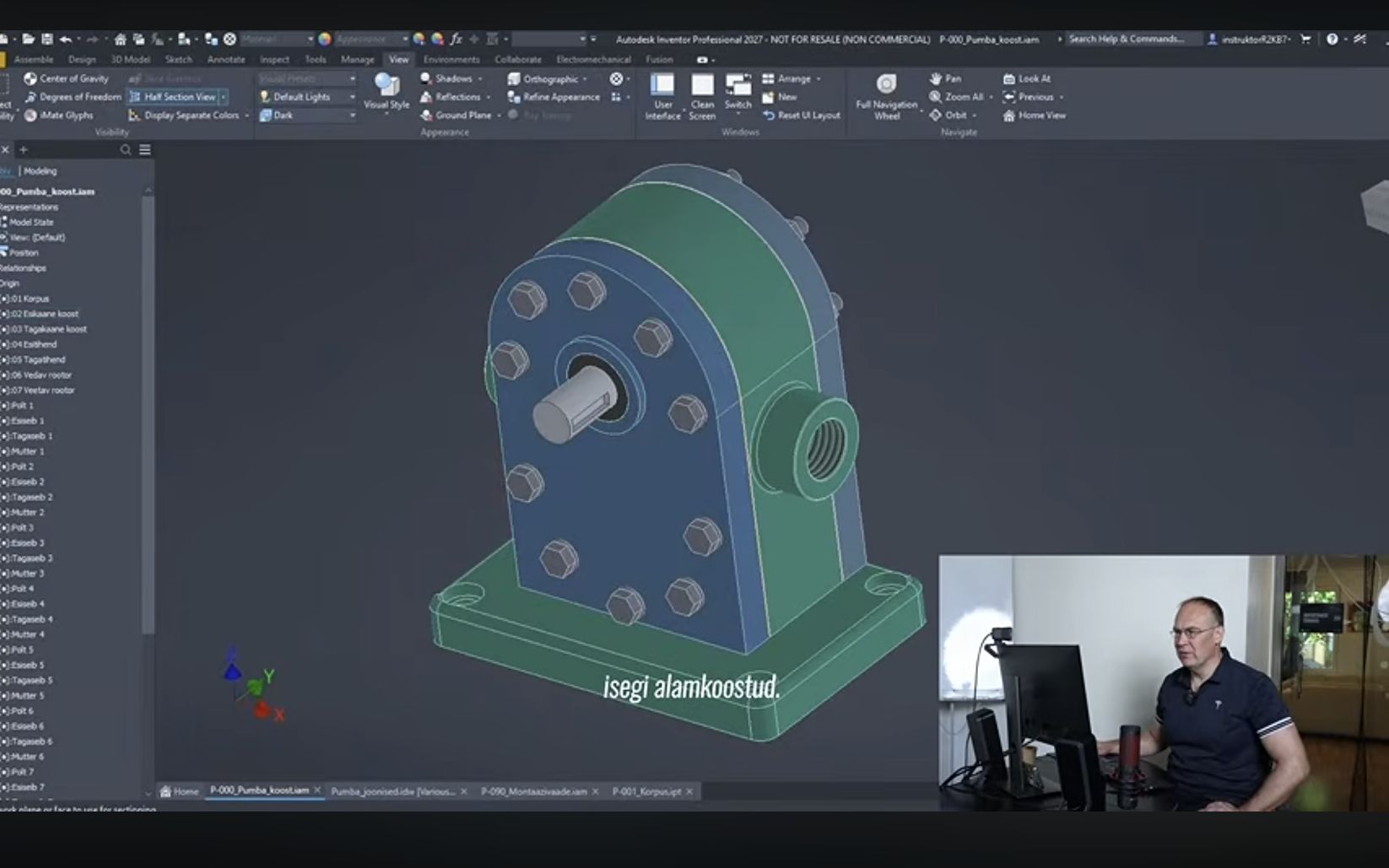
ChatGPT had created a pump model in Autodesk Inventor. An Inventor trainer then opened it up, component by component, to see how it had been built. Some parts earned praise; others needed corrections.
I watched this during Usesoft’s webinar, “AI assistants at work in Autodesk software”, on 27 October 2026. The review was the part that stayed with me most. It was interesting to see what a specialist looks for and how they would continue working with what AI had made.
The images in this article are stills from Usesoft’s webinar recording.
From one component to a complete pump assembly
The brief covered a single pump component, but ChatGPT had created a complete assembly with subassemblies. In Inventor, you could take the pump apart, open individual components and examine their geometry and sketches, the drawings used to build the model.
The review also gave credit where it was due. The trainer highlighted the gear modelling and the model’s clear structure. That made the example interesting: AI had created a model whose components and construction history could be examined and edited in the same software. The review starts at 49:16 in the recording.
Examining the components revealed the errors
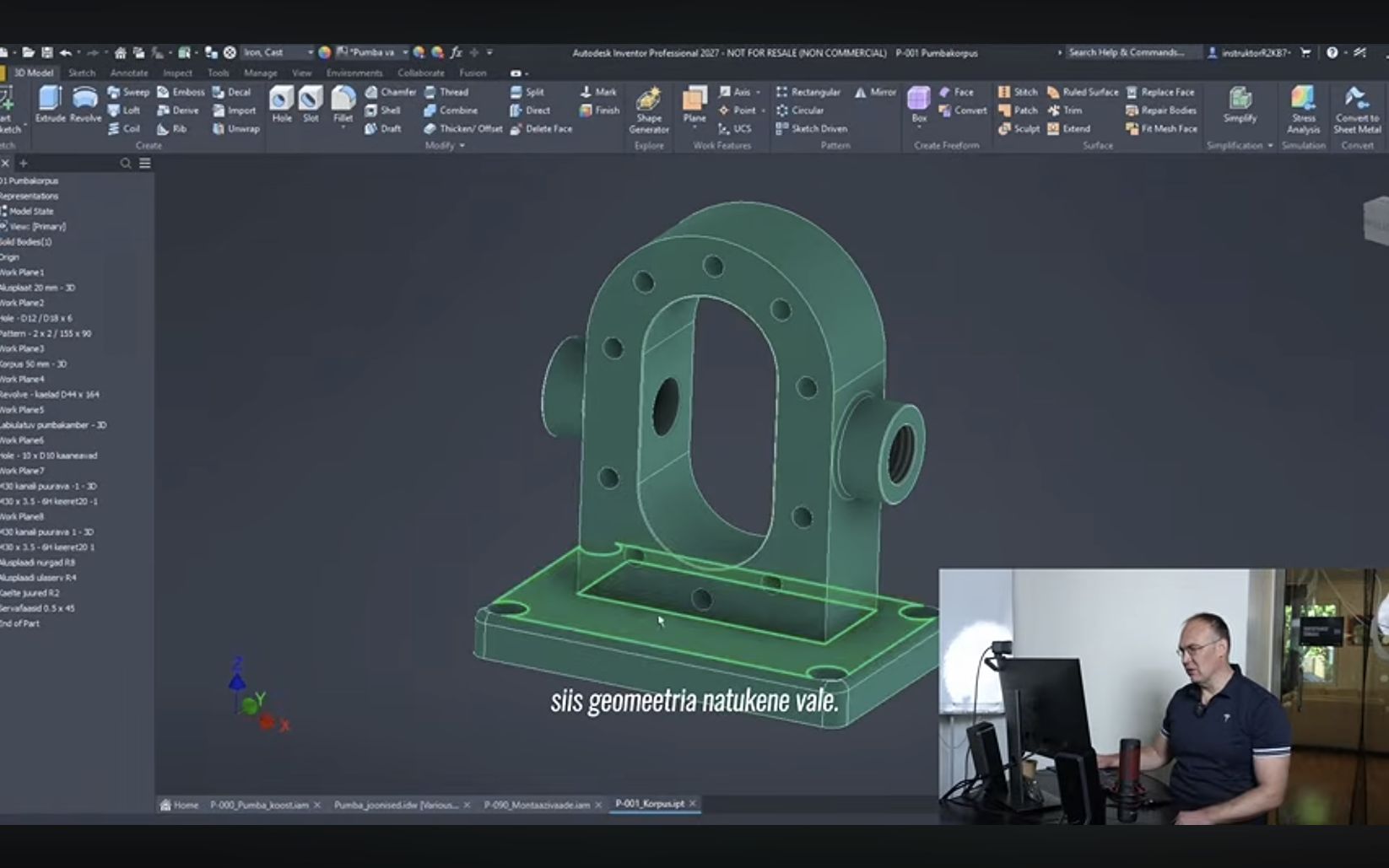
Part of the pump housing’s geometry was wrong. One dimension in the brief had been taken from the wrong surface. Some sketches were underconstrained, so later edits could distort the model’s geometry. Looking at the shaft, the trainer noted that manufacturing it would require removing a lot of material on a lathe. You can watch this analysis from 49:45.
I liked that the review explained why the errors mattered. Taking a measurement from the wrong place affects the component’s shape. An underconstrained sketch may behave differently from what you expect when you edit it. Assessing the shaft’s shape also means thinking about how it would be manufactured.
A review like this is useful even if you do not use Inventor every day. You see the questions an experienced user knows to ask about a model. Looking at its exterior alone will not answer them.
What I took away from it
I have written before about how we used Codex to turn a single photo of a shower room into an interactive 3D view. For that experiment, I wanted a room you could explore. With a pump model, you also need to assess dimensions, relationships between components and whether the parts would be practical to manufacture. What you check depends on what you need the model for.
What I like about both examples is being able to give AI an assignment and let it work on the computer. Once the first result is there, it becomes easier to specify what needs changing. You do not have to make every click yourself, but you do need to understand the result.
That next step was what made Usesoft’s example interesting. The model existed, and the trainer could put their knowledge to work checking it. They could spot errors a beginner might miss and explain how to proceed. I enjoyed seeing that kind of collaboration with AI.
Watch the webinar recording
Usesoft’s webinar page has the programme, materials and recording. Alongside 3D modelling, the webinar covered AI assistants built into software, MCP connections and agents that operate a computer. The recording is in Estonian.
Watch the pump model review from 49:16 or open the full recording on YouTube.