
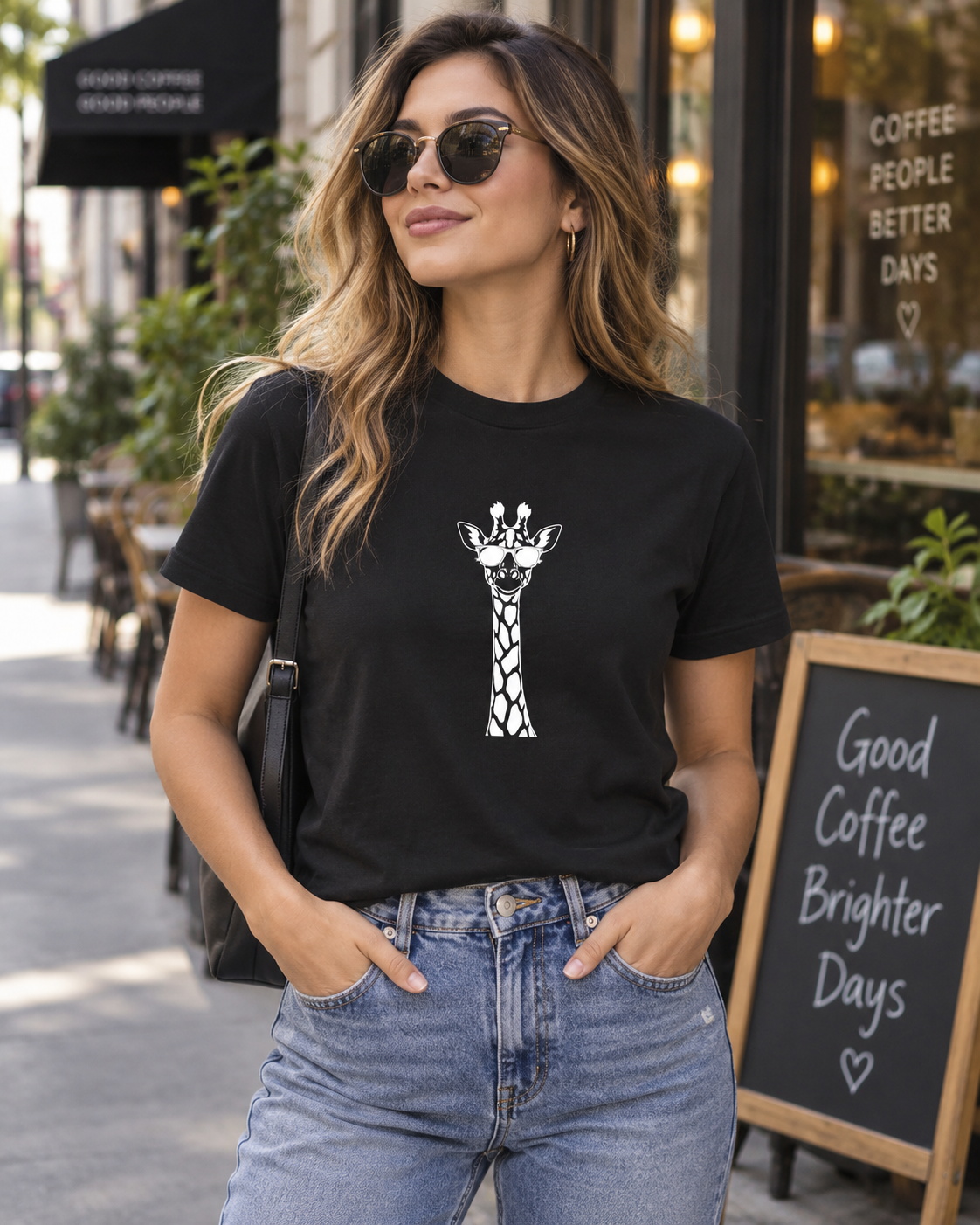
When I need several different images at once, I currently prefer ChatGPT. When I need to change an existing image, I lean towards Gemini. The biggest difference in this test emerged from a simple task: replace the model’s black T-shirt with a white one.
Both changed the shirt. But one introduced a texture I certainly had not asked for.
I tested the same image ideas in the browser versions of ChatGPT and Gemini using the same starting prompt. I had Google AI Pro and ChatGPT Pro 20×. This is my practical comparison as of October 2026: AI-generated people, T-shirts and product-image variations. I am leaving image production through the API, Codex and Work outside this comparison.
ChatGPT’s big advantage: several separate images at once
What I like about ChatGPT is being able to request at least ten different images at once: one product with different people, backgrounds or settings. I do not have to enter the same request for each image.
That is my experience with my plan, not a guaranteed image limit for every account. But it makes a substantial difference to the workflow. When an entire product range needs new images, I do not want to start and wait for each variation separately.
In one experiment shown here, ChatGPT produced four variations and displayed a time of 1 minute and 7 seconds. The screenshot shows them as separate images. That is the displayed time for one task, not an average across several tests.
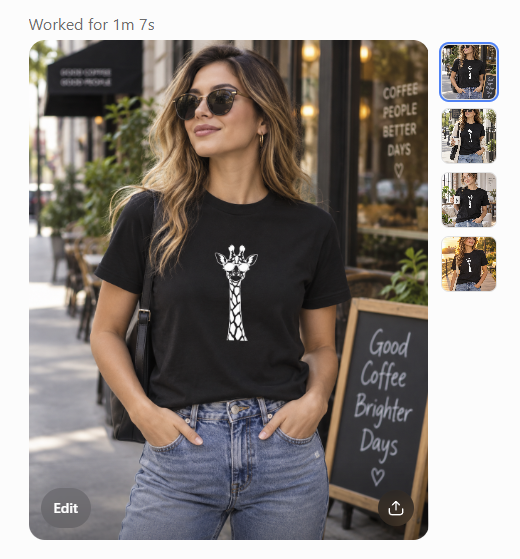
In Gemini, I have so far needed more individual steps to obtain separate files. The four-view result included here is a collage. Four images within one file are not as convenient for me as four independently usable product images. A collage can be cropped apart, but its resolution is then shared between the four views.
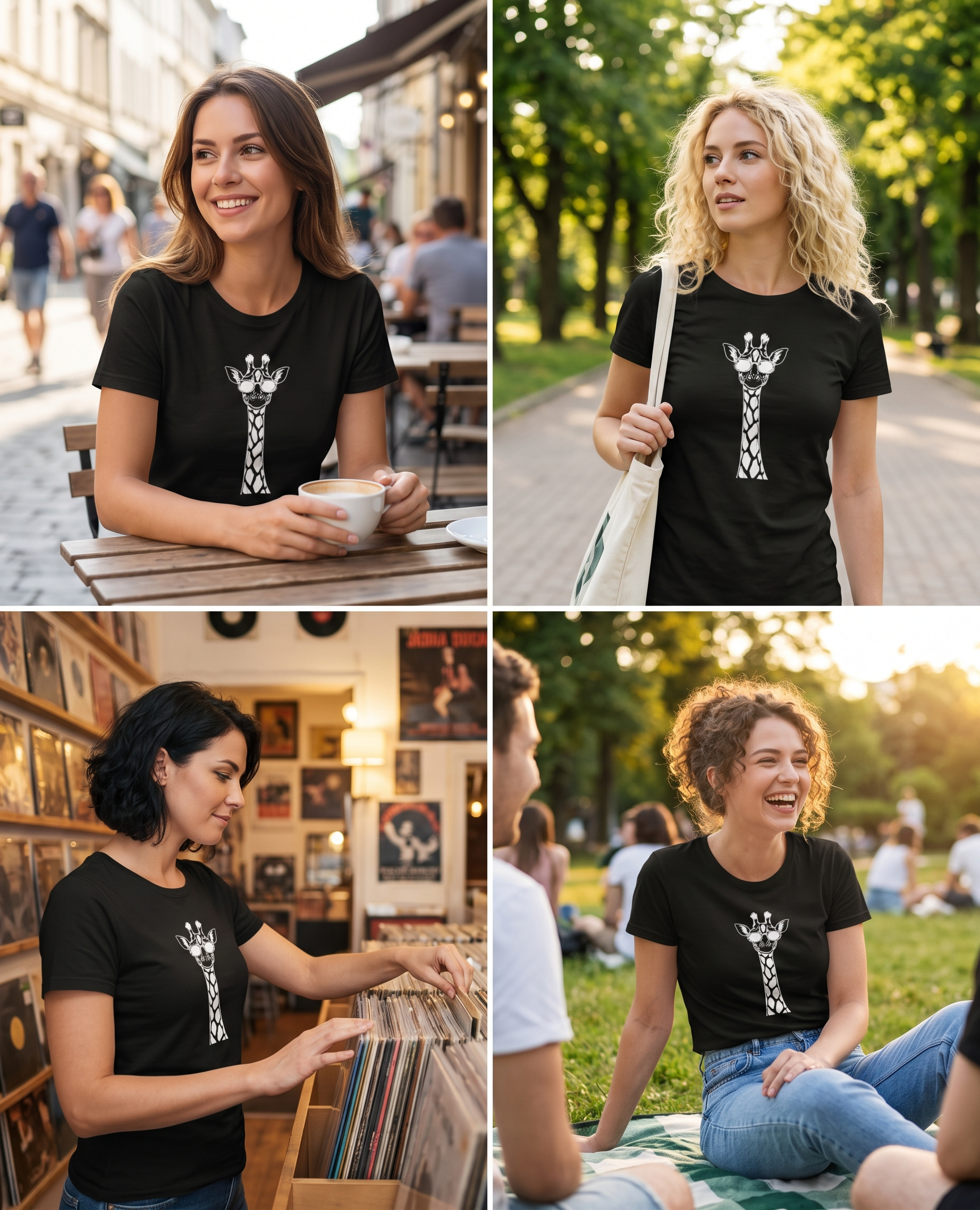
Gemini feels faster to me for a single image, although I do not have comparable timing measurements. When I need several separate images at once, ChatGPT’s workflow currently suits me better.
For people, I prefer ChatGPT’s result
With the same starting prompt, ChatGPT’s people look more natural to me. Gemini’s result is attractive and larger, but looks slightly more plastic to my eye, especially in the skin and the overall impression of whether the person could be standing there.
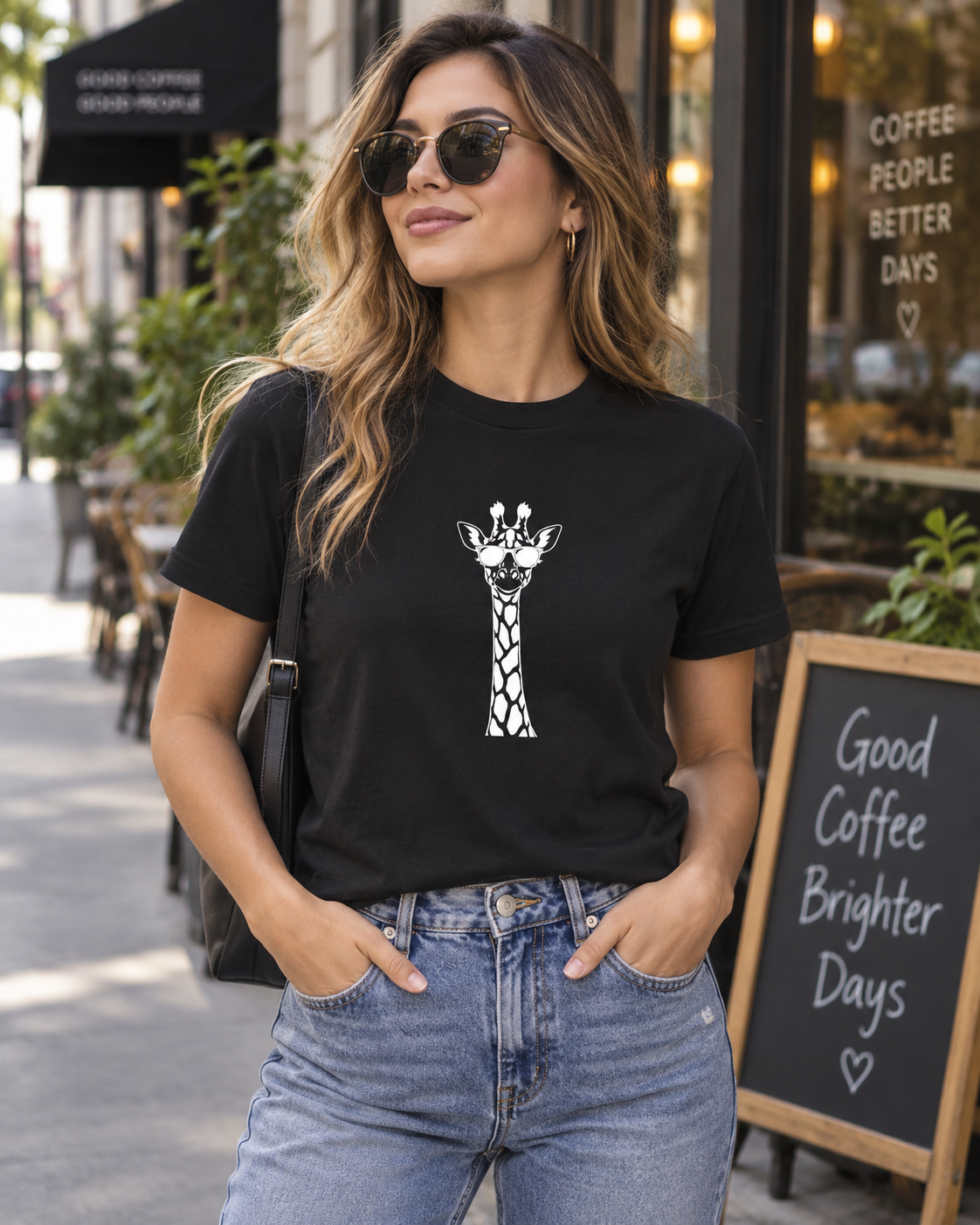
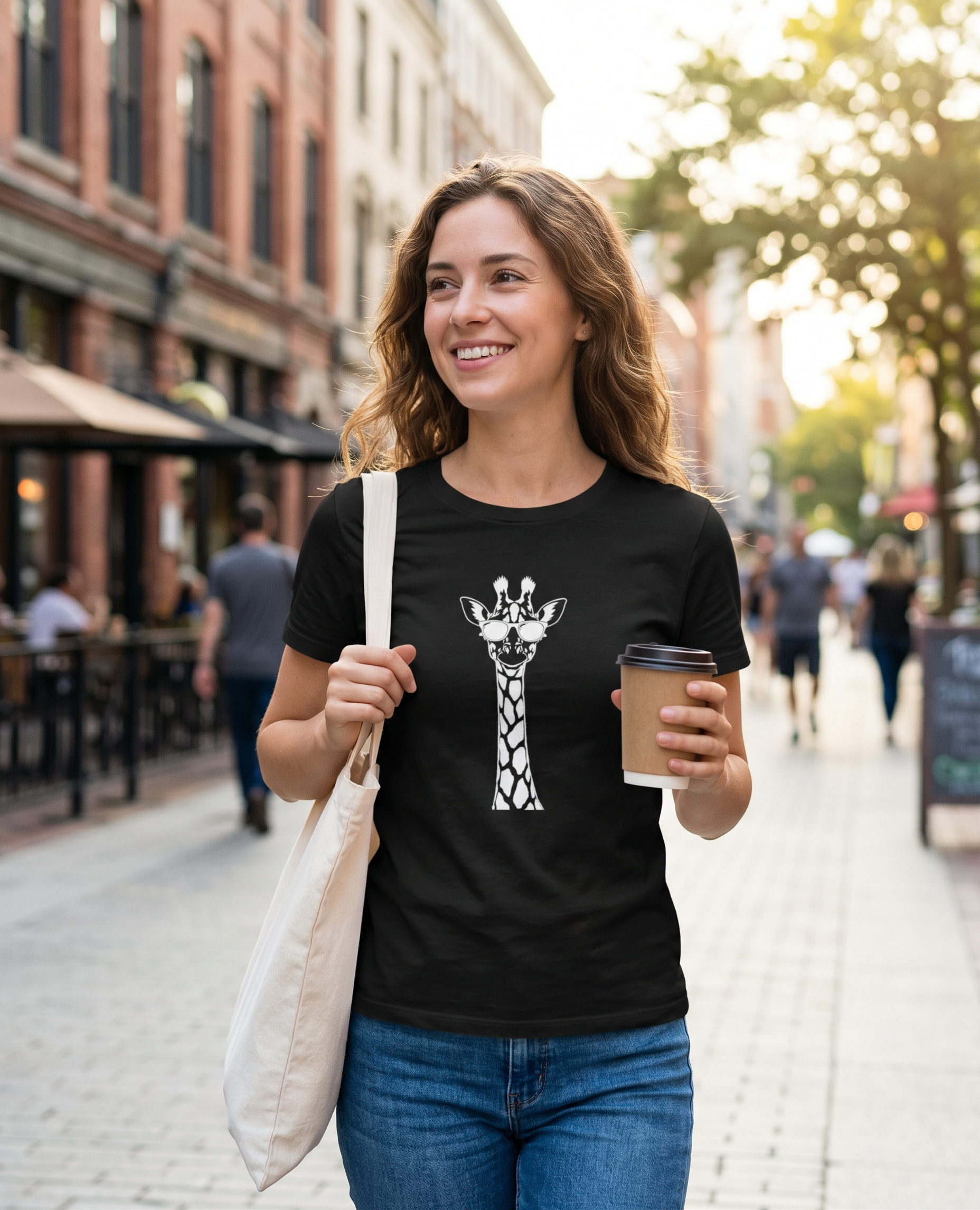
This comes down to taste and this particular test. My preference could change for furniture, cosmetics or other inanimate products. For a more artistic image or a visual intended for print, I would also consider Gemini. An original with more pixels gives more room to work.
Changing the shirt exposed ChatGPT’s weakness
The next request was simple: change the black T-shirt to white and leave the rest of the image unchanged.
ChatGPT understood the requested change. The cafe scene remained recognisable and the shirt became white. At first glance it looked good. Closer inspection revealed something that has bothered me in previous ChatGPT edits: an unusual repeating texture appears in the image.
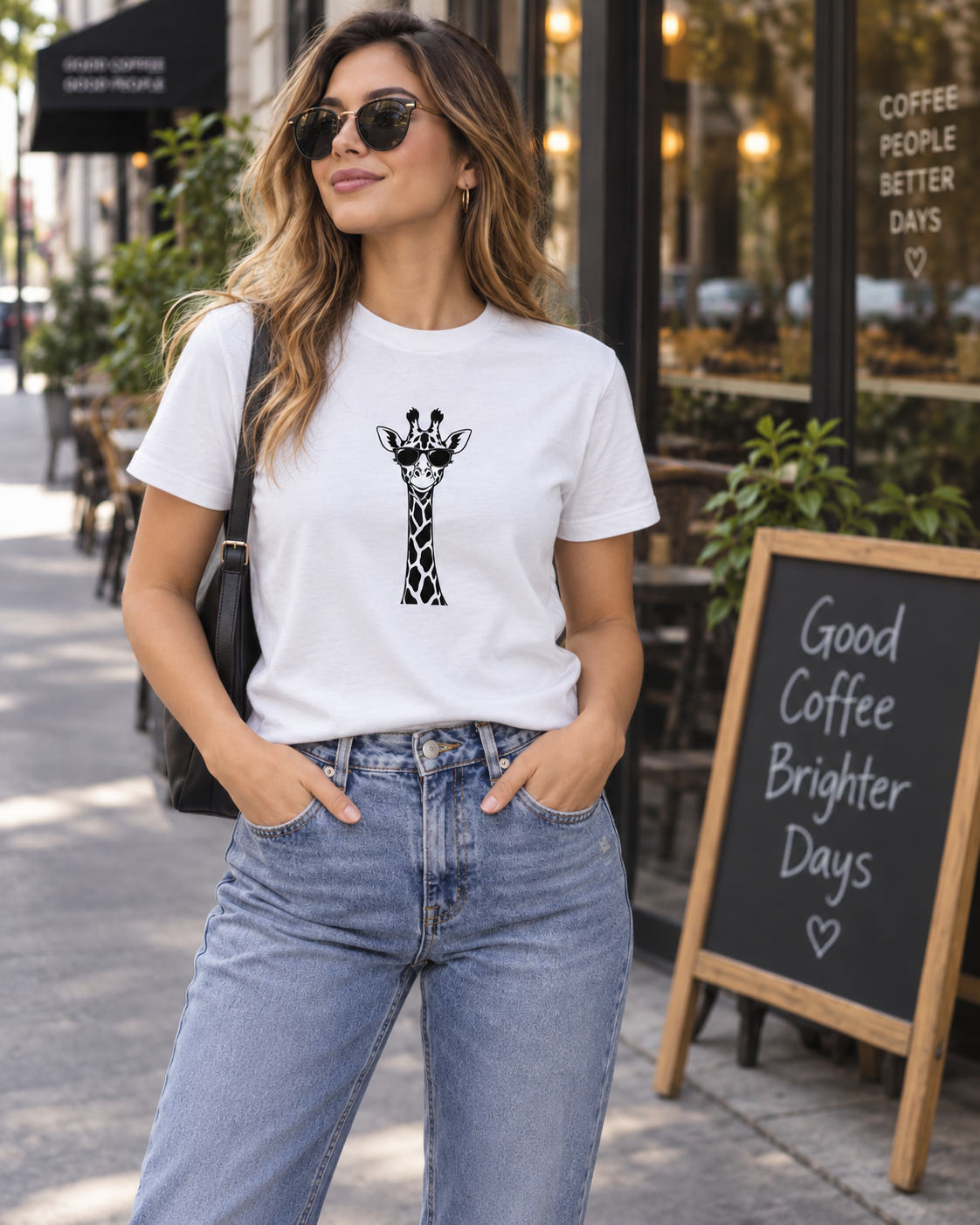
I call it a grid-like texture. In some areas it looks more like a wavy pattern; elsewhere hair or fabric looks artificially redrawn. Below is another white-shirt result with a different pose and background. I use it to examine the texture separately: the unusual pattern is particularly visible on the jeans.
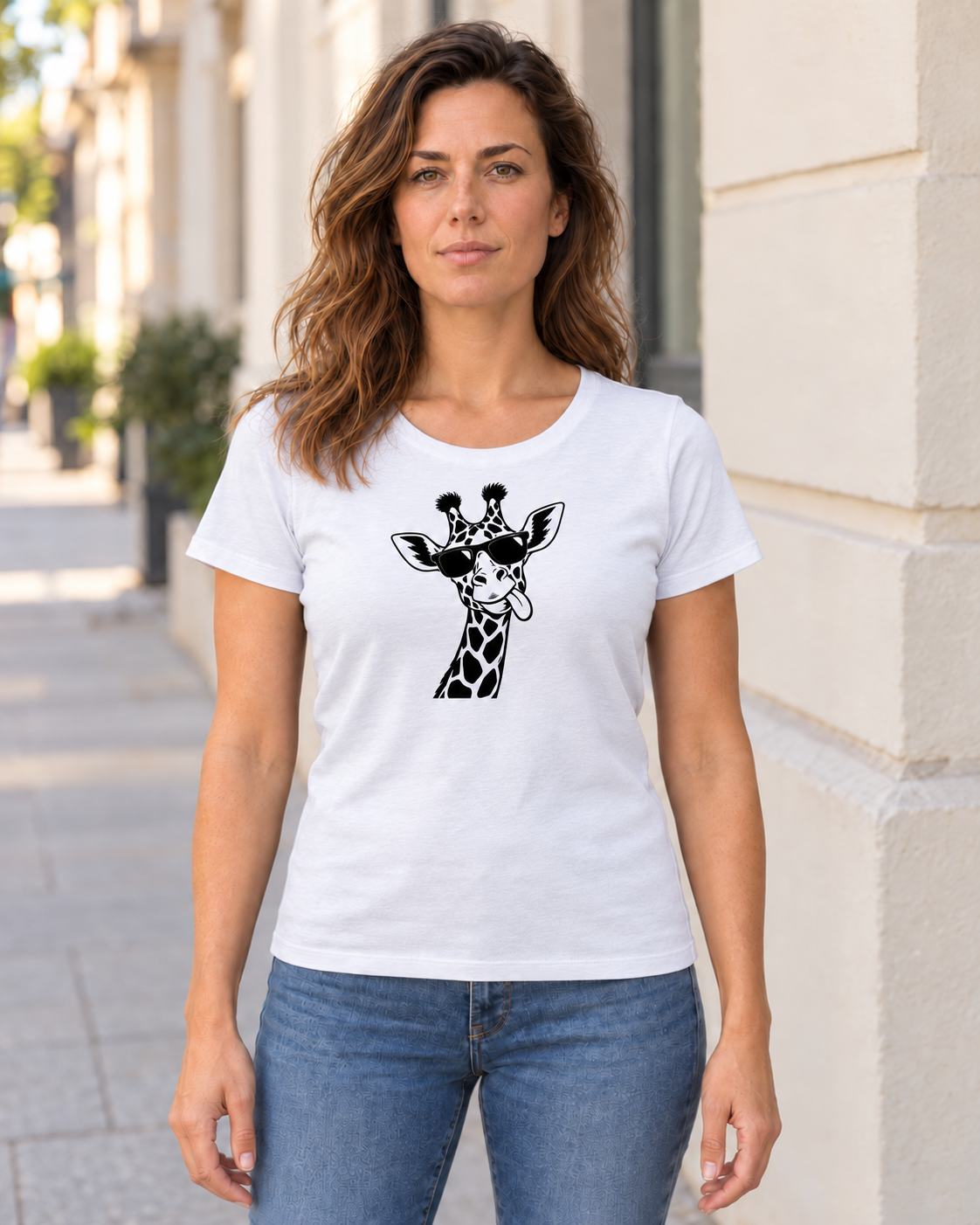
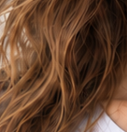
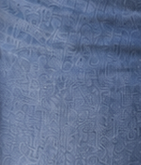
For me, that spoils an otherwise usable image. I want to change a shirt’s colour, not then repair the hair and jeans. The image dimensions stayed the same, so the problem is visible detail rather than a lower pixel count. This experiment does not establish the precise technical cause.
I do not see the same grid-like pattern in Gemini’s shirt edit. The image looks cleaner to me and would be easier to use afterwards.
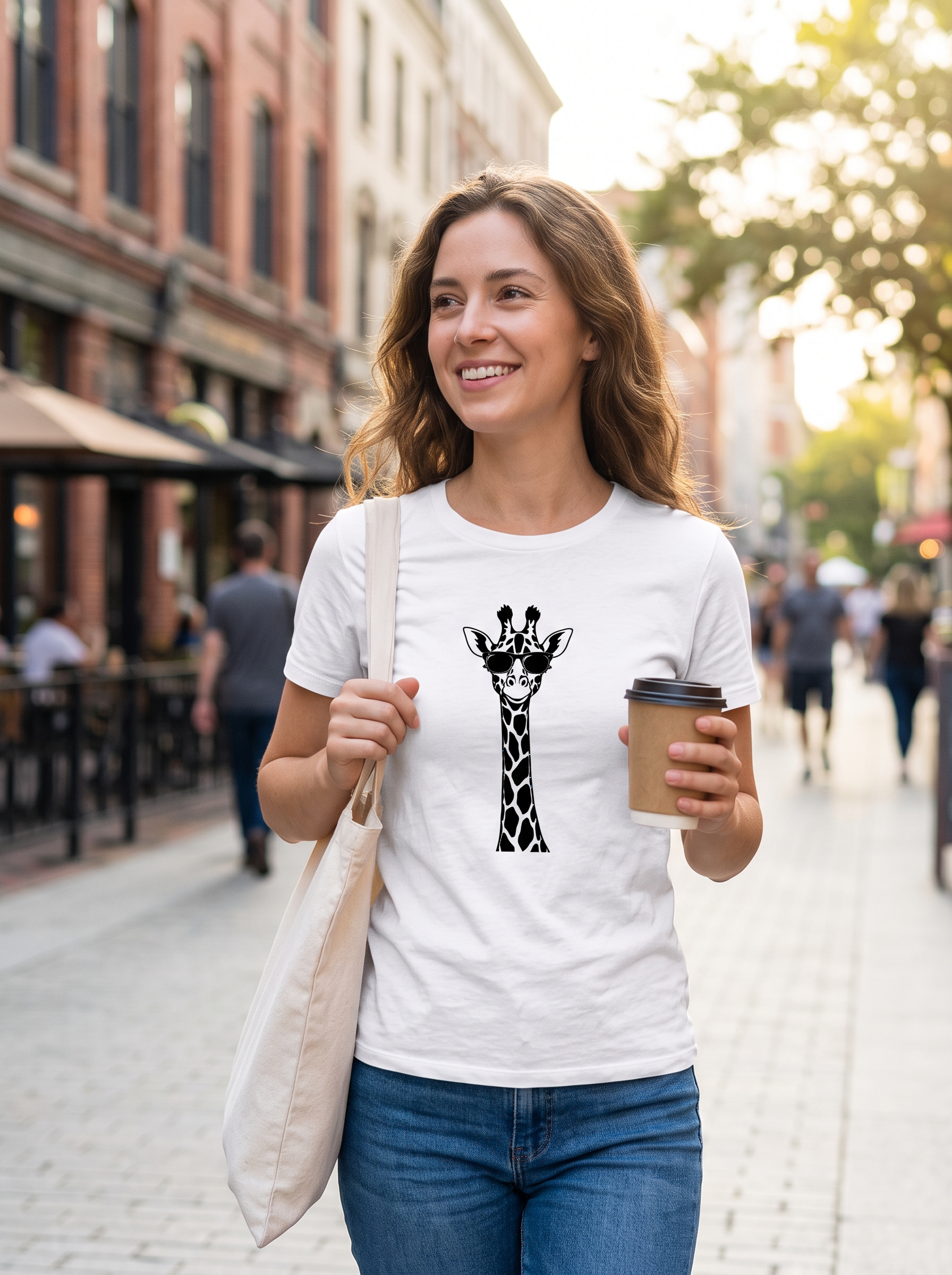
Gemini does not leave everything untouched either. In this pair, the framing and even the aspect ratio changed: 1856 × 2292 pixels became 1792 × 2400. With both tools, check the printed design on the shirt. An online-store image needs to match the product being sold.
Based on these examples, I would choose Gemini if I knew an image would need several revisions. With ChatGPT, I tend to prefer the first result to what can happen after repeated edits.
How large were the image files?
I checked the files saved for this comparison. The figures below are for the original files, not the WebP versions used in this article.
| Original file | Pixels | MP | MB |
|---|---|---|---|
| ChatGPT: black shirt (PNG) | 1122 × 1402 | 1,57 | 2,38 |
| ChatGPT: white shirt, cafe (PNG) | 1122 × 1402 | 1,57 | 2,27 |
| ChatGPT: second white-shirt test (PNG) | 1122 × 1402 | 1,57 | 2,00 |
| Gemini: black shirt (JPEG) | 1856 × 2292 | 4,25 | 2,74 |
| Gemini: white shirt (JPEG) | 1792 × 2400 | 4,30 | 2,90 |
| Gemini: four-view collage (JPEG) | 1856 × 2292 | 4,25 | 2,85 |
MB = 1,000,000 bytes. MP = one million pixels. File sizes are rounded to two decimal places.
All three ChatGPT examples are approximately 1.57 megapixels. Gemini’s individual images are approximately 4.3 megapixels , or about 2.7 times as many pixels. These are the files I received, not a table of either generator’s maximum capabilities.
Megabytes tell a different story. ChatGPT’s files are PNGs and Gemini’s are JPEGs, so file size cannot rank their image quality. A ten-megabyte file may simply be less compressed. What matters to me is the image’s dimensions and whether the detail I need is present.
Google’s current Gemini guide describes 2K downloads with a Google AI plan and 1K without one. To obtain the full-size image, use ‘Download full size’. Check this before judging resolution from a small preview.
Who might find this comparison useful?
As a store owner, I want different images of a product: one for the website, another for advertising and a third for social media. A clothing or print-product brand also needs different shirt colours and models. Creating several images at once and preserving the rest of an image during an edit both matter here.
Marketers need campaign variations, and social-media managers regularly need fresh visuals. Web designers use AI images in website headers and service pages, creators in articles or video thumbnails, and trainers in learning materials.
You can work through one image individually. When you need ten or twenty, a convenient workflow makes a substantial difference.
Larger images and Upscayl
When I need a larger image, I sometimes use Upscayl. Its desktop version is free and open source and runs on your computer. In my experience, enlargement can make an image too smooth or artificial. Sometimes a larger file is still necessary, and it can be a useful tool. I check the detail afterwards: enlargement does not automatically recover information missing from the original.
Generators with higher native resolution also exist. For example, FLUX 3 Image offers native 2K and 4K output according to its maker; its official page also includes a 5456 × 3072 pixel example, approximately 16.8 megapixels. It is a paid tool and I did not test it in this comparison. But that development interests me: a larger original image that does not first need upscaling.
Which would I use now?
For several product-image variations and scenes with more natural-looking people, I would currently choose ChatGPT. For editing an existing image and obtaining a higher-pixel-count original, I would look at Gemini. For print, I would also check how the detail looks at the intended size, not just the pixel count.
I do not currently need five different AI subscriptions. These two handle a large part of my work. I would try another tool if it offered something I was missing. Until then, it is most useful to know which task suits each tool.
I also wrote about AI product images in ‘From phone snapshot to advertising image’. To try these techniques with your business’s images, explore the AI visuals training topic.
Experiment and source check: 8 October 2026. The photo-like examples were generated with AI. Comparison images were converted to lossless WebP for the web while retaining the supplied files’ dimensions and pixels.